
Viewer buttons
These transport control buttons on the Source Viewer and Sequence Viewer
let you move through the viewed asset:
 -1 Frame:
Goes back one frame.
-1 Frame:
Goes back one frame.
 -10 Frames:
Goes back ten frames.
-10 Frames:
Goes back ten frames.
 Rewind:
Rewinds the current asset. First press, rewinds -8x speed. Second press,
increases to -16x speed.
Rewind:
Rewinds the current asset. First press, rewinds -8x speed. Second press,
increases to -16x speed.
 Play:
Plays the clip. Toggles with the Pause button.
Play:
Plays the clip. Toggles with the Pause button.
 Fast Forward:
Fast Forwards the current asset. First press, fast forwards to 8x speed. Second press,
increases to 16x speed.
Fast Forward:
Fast Forwards the current asset. First press, fast forwards to 8x speed. Second press,
increases to 16x speed.
 +10 Frames:
Goes forward ten frames.
+10 Frames:
Goes forward ten frames.
 +1 Frame:
Goes forward one frame.
+1 Frame:
Goes forward one frame.
These buttons and controls located
below the viewer let you perform various functions:
 Mark In:
Sets the Mark In point.
Mark In:
Sets the Mark In point.
 Mark Out:
Sets the Mark Out point.
Mark Out:
Sets the Mark Out point.
 Create Keyword:
Logs an item from mark in to mark out.
Create Keyword:
Logs an item from mark in to mark out.
 Create Marker:
Logs an item for the current position.
Create Marker:
Logs an item for the current position.
 Go to Previous Event:
Goes to previous event.
Go to Previous Event:
Goes to previous event.
 Go to Next Event:
Goes to next event.
Go to Next Event:
Goes to next event.
 Toggle Hide Events:
Hides marker and keyword indicators on
the scrub bar.
Toggle Hide Events:
Hides marker and keyword indicators on
the scrub bar.
 Toggle Show Audio Meters:
Toggles the display of audio overlay on
the Source Viewer.
Toggle Show Audio Meters:
Toggles the display of audio overlay on
the Source Viewer.
 Toggle Loop Play:
Loops the playback of current asset
between mark in to mark out.
Toggle Loop Play:
Loops the playback of current asset
between mark in to mark out.
 Eject:
Ejects the current asset.
Eject:
Ejects the current asset.
 Add to Timeline:
Adds the asset into the
Timeline.
Add to Timeline:
Adds the asset into the
Timeline.
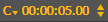 Timecode:
Displays timecode and allows you
navigate to a specific timecode. Also lets you select the timecode type for display.
Timecode:
Displays timecode and allows you
navigate to a specific timecode. Also lets you select the timecode type for display.

