Configure SQL Security logins
On the GV STRATUS Core server, SQL Security logins must be configured for the internal system/domain account.
-
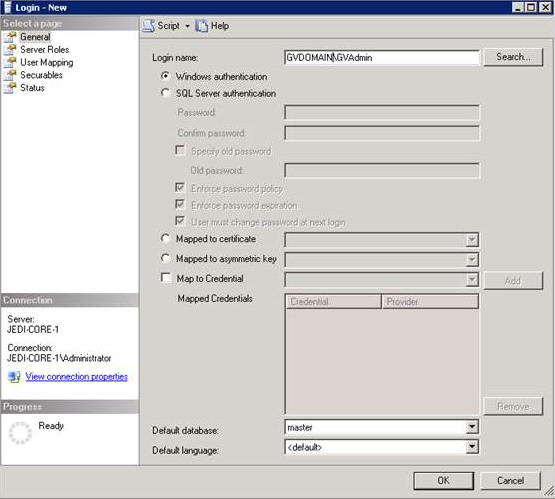
On the General page:
In the Login name field, enter the internal system/domain account.
For a domain GVDOMAIN, enter GVDOMAIN\GVAdmin.
-
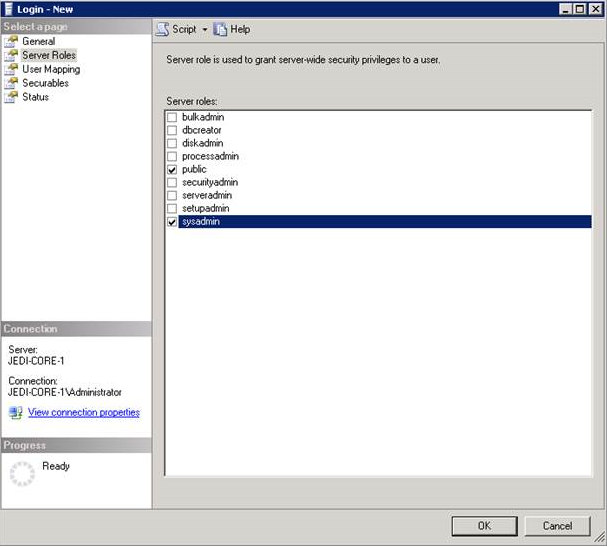
On the Server Roles page:
Check the box for public and sysadmin Server Roles.